
Microsoft Hyper-V Virtualization Solution
รหัสสินค้า:ตรวจสอบสต็อกและระยะเวลาการสั่งซื้อสินค้าทุกครั้ง



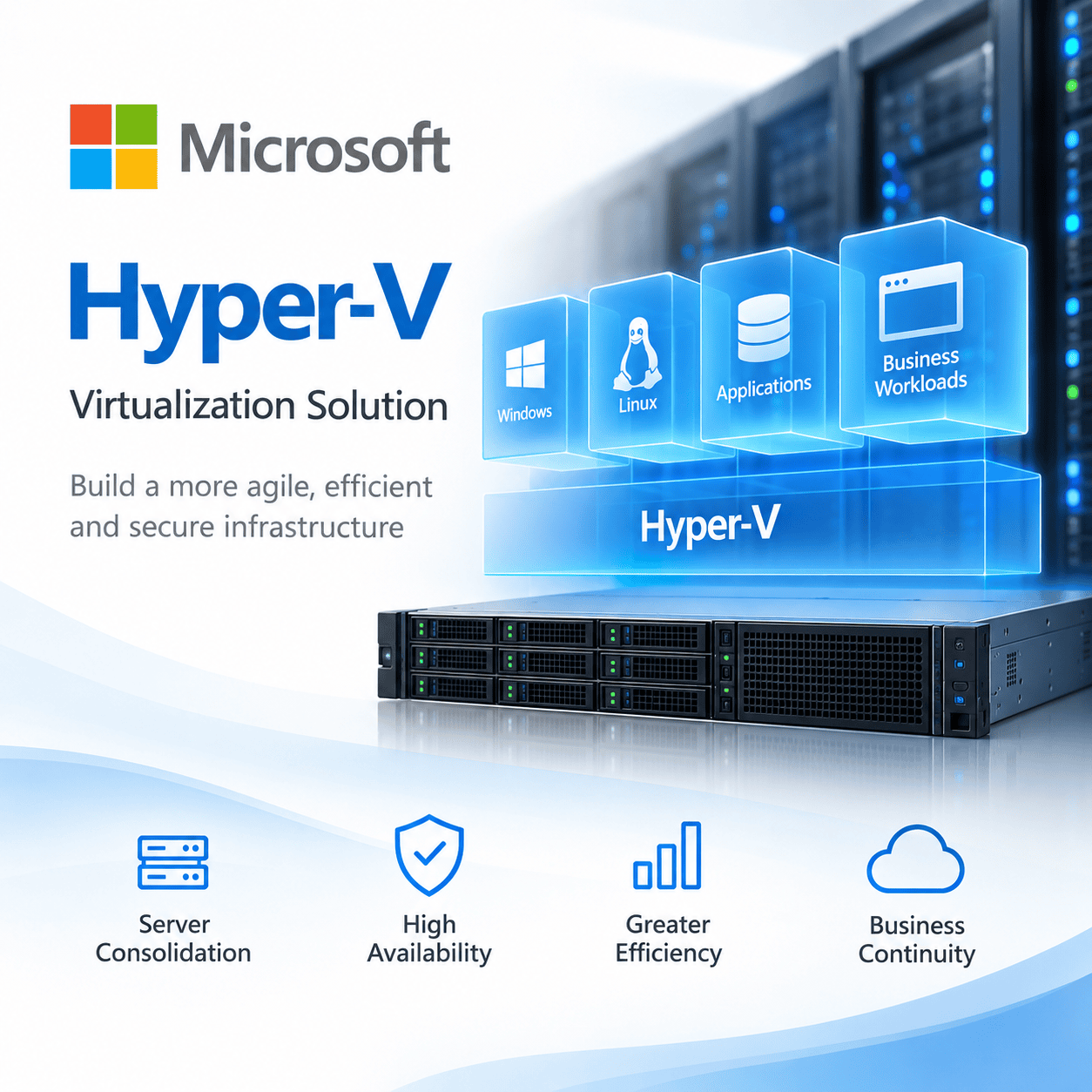
Microsoft Hyper-V Virtualization Solution สำหรับสร้างและบริหาร Virtual Machine บน Windows Server รองรับ Windows, Linux และ FreeBSD Guest OS พร้อมความสามารถด้าน Live Migration, Failover Clustering, High Availability และ Hyper-V Replica สำหรับ Virtualization Infrastructure ขององค์กร
- Enterprise Type-1 Hypervisor Technology จาก Microsoft
- รองรับ Windows, Linux และ FreeBSD Virtual Machines
- รองรับ Live Migration สำหรับย้าย VM ระหว่าง Hyper-V Hosts
- รองรับ Failover Clustering สำหรับ High Availability
- รองรับ Hyper-V Replica สำหรับ Disaster Recovery
- บริหารผ่าน Hyper-V Manager, Windows Admin Center และ PowerShell ตามรูปแบบการติดตั้ง
ServerProThai ให้บริการช่วยออกแบบ Hyper-V Infrastructure, Windows Server Licensing, Server, Storage, Network, Backup และ Migration ให้เหมาะกับ Workload ขององค์กร
ขอใบเสนอราคา
Microsoft Hyper-V สำหรับ Server Virtualization
Microsoft Hyper-V เป็น Enterprise Type-1 Hypervisor Technology ที่อยู่ใน Windows Server ใช้สำหรับสร้าง บริหาร และรัน Virtual Machine บน Physical Server Infrastructure
องค์กรสามารถใช้ Hyper-V เพื่อ Consolidate Server และแบ่งทรัพยากรให้แต่ละ Workload ได้ ทรัพยากรหลักประกอบด้วย CPU, Memory, Storage และ Network
Hyper-V รองรับ Windows และ Linux Workloads สำหรับ Production Infrastructure พร้อมความสามารถด้าน Live Migration, Failover Clustering และ Hyper-V Replica
Server Virtualization
สร้างและบริหาร Virtual Machine หลายระบบบน Physical Server Infrastructure รองรับ Application Server, Database, Infrastructure Service และ Enterprise Workloads
High Availability
Hyper-V สามารถทำงานร่วมกับ Windows Server Failover Clustering ได้ เหมาะสำหรับ Workload ที่ต้องการ High Availability
Live Migration
รองรับการย้าย Running Virtual Machine ระหว่าง Hyper-V Hosts ช่วยลดผลกระทบต่อ Workload ระหว่าง Maintenance
Disaster Recovery
Hyper-V Replica สามารถ Replicate Virtual Machine ไปยัง Hyper-V Host หรือ Cluster อื่น เพื่อรองรับ Business Continuity และ Disaster Recovery
Hyper-V บน Windows Server 2025
Microsoft Hyper-V รองรับ Windows Server 2025 และสามารถติดตั้งเป็น Server Role เพื่อสร้างและบริหาร Virtual Machines บน Server Infrastructure
Production Environment ควรออกแบบ Hardware และ Infrastructure จาก Workload จริง ควรพิจารณา CPU, Memory, Storage, Network, High Availability, Backup และ Management ร่วมกัน
Windows และ Linux Virtual Machines
Hyper-V รองรับ Guest Operating System หลายประเภท รวมถึง Windows Server, Windows และ Linux distributions
Guest OS แต่ละรุ่นอาจมี Support Requirement แตกต่างกัน ควรตรวจสอบ Operating System และ Version ที่ Microsoft รองรับก่อน Deployment
Microsoft Supported Windows Guest Operating Systems →
Hyper-V Cluster และ High Availability
Hyper-V สามารถทำงานร่วมกับ Windows Server Failover Clustering ได้ เหมาะสำหรับ Production Environment ที่ต้องการ High Availability
Virtual Machines สามารถทำงานบน Cluster Infrastructure ได้ หาก Host หรือ Cluster Node เกิดปัญหา ระบบสามารถใช้ Failover เพื่อให้ Workload ทำงานบน Node อื่นตาม Cluster Configuration
การออกแบบ Cluster ควรพิจารณาจำนวน Hyper-V Hosts, Compute Capacity, Memory, Storage และ Network Redundancy
ควรมี Capacity สำรองสำหรับกรณีที่ Host บางเครื่องไม่พร้อมให้บริการ ไม่ควรจัดสรร Resource จนเต็มทุก Host โดยไม่มี Failover Capacity
Microsoft Failover Clustering Documentation →
Hyper-V Live Migration
Hyper-V Live Migration ใช้สำหรับย้าย Running Virtual Machine ระหว่าง Hyper-V Hosts โดยช่วยลดผลกระทบต่อ Workload ระหว่างการย้าย VM
Live Migration สามารถใช้กับ Planned Maintenance และ Infrastructure Management ได้ นอกจากนี้ยังสามารถทำงานร่วมกับ Failover Clustering สำหรับ High Availability Environment
Microsoft Hyper-V Live Migration Documentation →
Hyper-V Replica สำหรับ Disaster Recovery
Hyper-V Replica เป็นความสามารถสำหรับ Replicate Virtual Machines ระหว่าง Hyper-V Hosts เพื่อรองรับ Business Continuity และ Disaster Recovery
Replica สามารถสร้างสำเนาของ VM บน Secondary Host หรือ Cluster ได้ และไม่จำเป็นต้องใช้ Shared Storage ระหว่างต้นทางและปลายทาง
Hyper-V Replica และ Failover Clustering มีวัตถุประสงค์ต่างกัน Cluster เน้น Local High Availability ขณะที่ Replica เหมาะกับ Disaster Recovery ระหว่าง Host, Cluster หรือ Site
Microsoft Hyper-V Replica Documentation →
Windows Server Licensing สำหรับ Hyper-V
การสร้าง Virtual Machine ด้วย Hyper-V และสิทธิ์ในการใช้งาน Windows Server เป็นคนละเรื่องกัน
สิทธิ์ของ Windows Server Standard และ Datacenter เป็น Windows Server Virtualization Rights ไม่ใช่จำนวนสูงสุดของ Virtual Machines ที่ Hyper-V สามารถสร้างได้
Licensing Based on Physical Cores
Windows Server 2025 Standard และ Datacenter สามารถใช้ Licensing Based on Physical Cores ได้ โดยต้อง License Physical Cores ทั้งหมดของ Server
Microsoft กำหนดขั้นต่ำ 8 Core Licenses ต่อ Physical Processor และขั้นต่ำ 16 Core Licenses ต่อ Server
หาก Server มี Physical Cores มากกว่าขั้นต่ำ ต้อง License ตามจำนวน Physical Cores จริงทั้งหมด
Windows Server 2025 Standard
เมื่อ License Physical Cores ของ Server ครบ จะได้รับสิทธิ์ใช้งาน Windows Server จำนวน 2 OSEs
หากต้องการ OSE Rights เพิ่ม สามารถ Stack License เพิ่มได้ โดยต้อง License Physical Cores ของ Server ครบอีกชุด
Windows Server 2025 Datacenter
เมื่อ License Physical Cores ของ Server ครบ จะได้รับสิทธิ์ใช้งาน Windows Server OSEs ไม่จำกัดจำนวนบน Server นั้น
Datacenter จึงเหมาะกับ Highly Virtualized Environment ที่มี Windows Server Virtual Machines จำนวนมาก
ตัวอย่างการนับ Physical Core License
- 1 CPU / 12 Physical Cores: ต้อง License อย่างน้อย 16 Cores เพราะ Microsoft กำหนดขั้นต่ำ 16 Core Licenses ต่อ Server
- 1 CPU / 24 Physical Cores: ต้อง License 24 Cores ตามจำนวน Physical Cores จริง
- 2 CPU / CPU ละ 16 Cores: Physical Core รวม 32 Cores จึงต้อง License 32 Cores
- 2 CPU / CPU ละ 24 Cores: Physical Core รวม 48 Cores จึงต้อง License 48 Cores
Microsoft มี Windows Server Core Licenses แบบ 2-Core Pack และ 16-Core Pack สำหรับจัดจำนวน Core Licenses ให้ครบตาม Physical Cores ที่ต้อง License
Standard: 2 OSEs ไม่ได้หมายถึงสร้างได้เพียง 2 VM
สิทธิ์ 2 OSEs ของ Windows Server Standard เป็น Windows Server Virtualization Rights ไม่ใช่ข้อจำกัดทางเทคนิคของ Hyper-V
Hyper-V Host สามารถมี Virtual Machines มากกว่า 2 VM ได้ หาก VM ใช้ Windows Server ต้องมี Windows Server OSE Rights ครบตามจำนวนที่ใช้งาน
หาก VM ใช้ Operating System อื่น ต้องพิจารณาสิทธิ์การใช้งานของ Operating System นั้นแยกต่างหาก
Windows Server Standard สามารถ Stack License ได้
Windows Server Standard แบบ Physical Core Licensing สามารถ Stack License เพื่อเพิ่ม Windows Server OSE Rights ได้
แต่ละครั้งต้อง License Physical Cores ของ Server ครบอีกหนึ่งชุด จากนั้นจะได้รับสิทธิ์ Windows Server เพิ่มอีก 2 OSEs
- License Physical Cores ครบ 1 ชุด = สิทธิ์ Windows Server 2 OSEs
- License Physical Cores ครบ 2 ชุด = สิทธิ์ Windows Server 4 OSEs
- License Physical Cores ครบ 3 ชุด = สิทธิ์ Windows Server 6 OSEs
เมื่อจำนวน Windows Server Virtual Machines เพิ่มขึ้น ควรเปรียบเทียบ Standard แบบ Stacking กับ Windows Server Datacenter เพื่อเลือก Licensing ที่เหมาะกับ Environment
Windows Server Datacenter สำหรับ Highly Virtualized Environment
Windows Server Datacenter เหมาะกับ Environment ที่มี Windows Server Virtual Machines จำนวนมาก
เมื่อใช้ Physical Core Licensing ต้อง License Physical Cores ของ Server ให้ครบตามข้อกำหนด จากนั้นจะได้รับสิทธิ์ Windows Server OSEs ไม่จำกัดจำนวนบน Server นั้น
Microsoft Windows Server 2025 Licensing Guidance →
ออกแบบ Hyper-V Server Infrastructure
Production Hyper-V ควรออกแบบ Infrastructure จาก Workload จริง ไม่ควรพิจารณาเฉพาะ Hypervisor หรือ Windows Server License
องค์ประกอบสำคัญได้แก่ Compute, Memory, Storage และ Network รวมถึง High Availability, Management, Backup และ Disaster Recovery
ServerProThai สามารถช่วยประเมิน Hardware และ Windows Server Licensing จาก Configuration จริง รวมถึงจำนวน Windows Server Workloads ที่ต้องการใช้งาน
CPU & Memory
ประเมินจำนวน Physical CPU, Physical Cores และ Memory Capacity จาก Workload รวมถึง VM Density ที่ต้องการ
Storage
ออกแบบ Storage จาก Capacity และ Performance Requirement ควรพิจารณา IOPS, Latency, Redundancy และ Storage Architecture ร่วมกัน
Network
วาง Network สำหรับ Management, Virtual Machine Traffic, Storage, Cluster และ Live Migration พร้อม Network Redundancy สำหรับ Production
Backup & Recovery
ออกแบบ Backup จากจำนวน VM, Data Size, Retention, RPO และ RTO พร้อมตรวจสอบ Compatibility กับ Hyper-V Environment
Hardware Requirements สำหรับ Hyper-V
Hyper-V ต้องใช้ Hardware ที่รองรับ Virtualization Technology ตามข้อกำหนดของ Microsoft
ข้อกำหนดสำคัญประกอบด้วย 64-bit Processor, Second-Level Address Translation หรือ SLAT, VM Monitor Mode Extensions และ Hardware-Assisted Virtualization
สำหรับ Production Server ควร Sizing CPU, Memory และ Storage จาก Workload จริง ไม่ควรใช้ Minimum Requirements เป็น Production Sizing โดยตรง
Microsoft Hyper-V Hardware Requirements →
Migration ไปยัง Microsoft Hyper-V
ก่อน Migration ควรสำรวจ Virtualization Platform เดิมและ Virtual Machines ที่ต้องการย้าย
ข้อมูลสำคัญประกอบด้วย Guest Operating System, Application Dependency, Virtual Disk, Storage, Network และ Backup
Production Workload ควรมี Maintenance Window และ Migration Method ที่ชัดเจน ควรกำหนด Application Validation, Backup และ Rollback Plan ก่อนย้ายระบบจริง
ขั้นตอน Migration อาจแตกต่างกันตาม Source Platform, Version และ Configuration จึงควรตรวจสอบ Compatibility ก่อนดำเนินการ
คำถามที่พบบ่อยเกี่ยวกับ Microsoft Hyper-V
ข้อมูลสำหรับองค์กรที่กำลังวางระบบ Hyper-V และ Windows Server Virtualization
Microsoft Hyper-V คืออะไร?
Windows Server Standard สร้าง Virtual Machine ได้เพียง 2 VM หรือไม่?
Server 24 Core ซื้อ Windows Server เพียง 16 Core ได้หรือไม่?
Windows Server Standard เพิ่มสิทธิ์ Windows Server VM ได้หรือไม่?
Windows Server Datacenter ให้สิทธิ์ Windows Server VM ไม่จำกัดหรือไม่?
Hyper-V รองรับ Linux Virtual Machine หรือไม่?
ก่อนขอราคา Windows Server สำหรับ Hyper-V ต้องเตรียมข้อมูลอะไร?
ขอคำปรึกษา Microsoft Hyper-V และ Windows Server Licensing
แจ้งจำนวน Server, CPU, Physical Cores, Memory และ Storage พร้อมจำนวน Windows Server Virtual Machines ที่ต้องการใช้งาน
ServerProThai สามารถช่วยประเมิน Hyper-V Infrastructure และคำนวณ Windows Server Standard หรือ Datacenter Licensing ให้เหมาะกับระบบขององค์กร
จาก 0 รีวิว
เป็นคนแรกที่วิจารณ์ “Microsoft Hyper-V Virtualization Solution”
สินค้าที่เกี่ยวข้อง
-
Microsoft, Software, Windows Server, Windows Server 2025, Windows Server 2025 CSP
Windows Server 2025 DataCenter 16Core CSP
 Microsoft, Software, Windows Server, Windows Server 2025, Windows Server 2025 CSP
Windows Server 2025 DataCenter 16Core CSP
รหัสสินค้า: DG7GMGFOPWHD_16CORE_COM
- ลิขสิทธิ์ Windows Server 2025 รุ่น Datacenter Edition
- สำหรับติดตั้งกับเครื่องใหม่ เครื่องเก่า หรือเครื่องที่ผิดลิขสิทธิ์มาก่อน
- สำหรับเคื่อง Server ที่มี CPU ไม่เกิน 16 Core
- รองรับ 2 Socket Processor
- มีฟังค์ชั่นการใช้งานให้เป็น HCI ด้วย Feature S2D
- สามารถติดตั้งบนเครื่องจริง (Physical) ได้ 1 เครื่อง (บนเครื่องที่ได้รับสิทธิ์)
- สามารถติดตั้งบนเครื่องเสมือน (VM)ได้ไม่จำกัดจำนวนเครื่อง (บนเครื่องที่ได้รับสิทธิ์)
- ใช้ได้กับเครื่องเซิร์ฟเวอร์ทุกยี่ห้อ เช่น Dell EMC, HPE, Lenovo, Fujitsu เป็นต้น
- สามารถย้ายซอฟต์แวร์ CSP จากเซิร์ฟเวอร์ เครื่องเดิมไปใช้ยังเครื่องใหม่ได้ เมื่อยกเลิกการใช้งานเครื่องเดิม
- ไม่มีแผ่น Program ติดตั้ง และ Product Key ผู้ใช้สามารถ Download Software และ Product Key ได้จาก Admin Center
- ไม่รวม Windows Server CAL ต้องซื้อตามจำนวนที่ใช้งาน
SKU: DG7GMGFOPWHD_16CORE_COM -
Microsoft, Microsoft Office, Office 365, Office 365 Business Plan, Software
Microsoft 365 Apps for business (1 User / 1Y)
Microsoft, Microsoft Office, Office 365, Office 365 Business Plan, SoftwareMicrosoft 365 Apps for business (1 User / 1Y)
รหัสสินค้า: CSP-365-B
- รับแอป Office เวอร์ชันเดสก์ท็อป: Outlook, Word, Excel, PowerPoint, OneNote (รวมถึง Access และ Publisher สำหรับพีซีเท่านั้น)
- จัดเก็บและแชร์ไฟล์ด้วยที่เก็บข้อมูลบน Cloud ของ OneDrive ขนาด 1 TB สำหรับผู้ใช้แต่ละราย
- ใช้สิทธิการใช้งานหนึ่งสิทธิ์เพื่อครอบคลุมแอป Office ที่ติดตั้งอย่างเต็มรูปแบบบนอุปกรณ์เคลื่อนที่ห้าเครื่อง แท็บเล็ตห้าเครื่อง และพีซีหรือ Mac ห้าเครื่องต่อผู้ใช้หนึ่งราย2
- อัปเดตแอปของคุณอัตโนมัติเพื่อรับฟีเจอร์และความสามารถใหม่ๆ ทุกเดือน
SKU: CSP-365-B -
Microsoft, Software, SQL Server, SQL Server 2022 CSP
Microsoft SQL Server 2025 Enterprise Core – 2 Core License Pack Commercial
-7%Microsoft, Software, SQL Server, SQL Server 2022 CSPMicrosoft SQL Server 2025 Enterprise Core – 2 Core License Pack Commercial
รหัสสินค้า: DG7GMGF0VNGX_2CORE_COM
- วิธีการซื้อ Core base License
- จำหน่ายขั้นต่ำ 2 License
- Enterprise Edition
- Data virtualization and SQL Server 2019 Big Data Clusters
- Intelligent Database
- Developer experience
- Mission-critical security
- High availability
- Platform choice
- Setup options
- SQL Server Machine Learning Services
- SQL Server Analysis Services
- SQL Server Integration Services
- SQL Server Master Data Services
- SQL Server Reporting Service
SKU: DG7GMGF0VNGX_2CORE_COM -
Microsoft, Software, Windows Server, Windows Server 2025, Windows Server 2025 CSP
Window Server 2025 Standard 2Core CSP
Microsoft, Software, Windows Server, Windows Server 2025, Windows Server 2025 CSPWindow Server 2025 Standard 2Core CSP
รหัสสินค้า: DG7GMGFOPWHC_2CORE_COM
- ต้องสั่งซื้อขั้นต่ำ 8 License สำหรับ Server 1 เครื่องที่มี CPU ไม่เกิน 16 Core
- ลิขสิทธิ์ Windows Server 2025 รุ่น Standard Edition
- สำหรับติดตั้งกับเครื่องใหม่ เครื่องเก่า หรือเครื่องที่ผิดลิขสิทธิ์มาก่อน
- รองรับ 2 Socket Processor
- สามารถติดตั้งบนเครื่องจริง (Physical) ได้ 1 เครื่อง (บนเครื่องที่ได้รับสิทธิ์)
- สามารถติดตั้งบนเครื่องเสมือน (VM)ได้ 2 เครื่อง (บนเครื่องที่ได้รับสิทธิ์)
- ใช้ได้กับเครื่องเซิร์ฟเวอร์ทุกยี่ห้อ เช่น Dell EMC, HPE, Lenovo, Fujitsu เป็นต้น
- สามารถย้ายซอฟต์แวร์ CSP จากเซิร์ฟเวอร์ เครื่องเดิมไปใช้ยังเครื่องใหม่ได้ เมื่อยกเลิกการใช้งานเครื่องเดิม
- ไม่มีแผ่น Program ติดตั้ง และ Product Key ผู้ใช้สามารถ Download Software และ Product Key ได้จาก Admin Center
- ไม่รวม Windows Server CAL ต้องซื้อตามจำนวนที่ใช้งาน
SKU: DG7GMGFOPWHC_2CORE_COM
There are no reviews yet.