
VMware vSphere เป็นแพลตฟอร์ม Server Virtualization สำหรับสร้างและบริหาร Virtual Machines บน ESXi Hosts พร้อมการจัดการ Infrastructure จากศูนย์กลางผ่าน vCenter Server รองรับ Enterprise Workloads, Cluster, High Availability และ Workload Mobility
VMware vSphere
แสดง 1 รายการ
-
VMware, VMware vSphere, vSphere Foundation
VMware vSphere Foundation – 1 Year Prepaid Commit – Per Core
-11% VMware, VMware vSphere, vSphere Foundation
VMware vSphere Foundation – 1 Year Prepaid Commit – Per Core
รหัสสินค้า: VSP-PL-TD-TL
- สั่งซื้อขั้นต่ำ 16 Core / CPU
- Licensing Model : Subscription
- License Metric : Per Core
- vCenter Edition Includes vCenter Standard
- VMware vSphere Foundation
- vSphere Hypervisor
- vMotion
- High Availability (HA)
- Storage vMotion
- Fault Tolerance 8 Core-vCPU
- vShield Endpoint™
- vSphere Replication™
- Support for 4K Native Storage
- vSphere Quick Boot
- vCenter High Availability
- vCenter Backup and Restore
- vCenter Server Appliance™ Migration
- vCenter Hybrid Linked Mode
- Hot and Cold Migration to the Cloud
- Per VM Enhanced vMotion Compatibility
SKU: VSP-PL-TD-TL
vSphere สำหรับ Enterprise Server Virtualization
vSphere เป็นแพลตฟอร์มสำหรับสร้าง Virtual Infrastructure โดยใช้ ESXi เป็น Hypervisor สำหรับรัน Virtual Machines และใช้ vCenter Server สำหรับบริหาร Hosts, Virtual Machines และ Clusters จากศูนย์กลาง เหมาะสำหรับ Server Consolidation และ Enterprise Virtualization Infrastructure
VMware Official Product Line Comparison →องค์ประกอบหลักของ vSphere Infrastructure
ESXi Hypervisor
Hypervisor สำหรับติดตั้งบน Physical Server เพื่อสร้างและรัน Virtual Machines พร้อมจัดสรร CPU, Memory, Storage และ Network Resources ให้แต่ละ Workload
vCenter Server
ระบบบริหารจัดการ Virtual Infrastructure จากศูนย์กลาง สำหรับ Hosts, Virtual Machines และ Clusters รวมถึง Lifecycle และ Infrastructure Operations ที่เกี่ยวข้อง
vSphere High Availability
ช่วยเพิ่ม Availability ของ Virtual Machines ภายใน Cluster โดยสามารถ Restart Workloads บน Host อื่นเมื่อ Host ใน Cluster เกิด Failure ตาม Configuration ของระบบ
vMotion
รองรับการย้าย Virtual Machine ที่กำลังทำงานระหว่าง Hosts เพื่อช่วยในการ Maintenance และบริหาร Workload โดยลดผลกระทบต่อ Application Availability
Standalone Editions ปัจจุบัน
Official Product Line Comparison ปัจจุบันระบุ Standalone Editions สองระดับ คือ vSphere Standard และ vSphere Enterprise Plus โดยทั้งสอง Edition มี vCenter Standard และรองรับ Version สูงสุดถึง vSphere 8 Update 3
vSphere Standard
Standalone Edition สำหรับ Core Server Virtualization โดย Feature Set แตกต่างจาก Enterprise Plus จึงควรเทียบ Requirement ของระบบกับ Product Line Comparison ปัจจุบันก่อนเลือก Subscription
vSphere Enterprise Plus
Standalone Edition ที่เพิ่ม Advanced Virtualization Capabilities จาก Standard สำหรับ Infrastructure ที่มี Requirement สูงขึ้น โดยควรตรวจสอบ Feature Entitlement ของ Subscription ปัจจุบันก่อนสั่งซื้อ
หมายเหตุ: VMware ระบุว่า Standard และ Enterprise Plus แบบ Standalone มี Version ถึง 8 Update 3 ส่วนความสามารถ vSphere 9.1 ปัจจุบันมีให้ผ่าน VMware vSphere Foundation 9.1 และ VMware Cloud Foundation 9.1
เปรียบเทียบ vSphere Standard, Enterprise Plus และ Foundation →High Availability สำหรับ Virtual Machines
สำหรับ Production Infrastructure สามารถจัด ESXi Hosts เป็น Cluster และใช้ความสามารถด้าน High Availability เพื่อเพิ่มความต่อเนื่องในการให้บริการของ Virtual Machines เมื่อ Physical Host เกิด Failure
การออกแบบ HA ควรคำนวณ Compute และ Memory Capacity ที่เหลือหลัง Host Failure รวมถึง Storage, Network และ Failure Domain ไม่ควรออกแบบจากจำนวน Hosts เพียงอย่างเดียว
Workload Mobility ด้วย vMotion
vMotion ช่วยย้าย Running Virtual Machines ระหว่าง ESXi Hosts และใช้ในการบริหาร Workload หรือ Maintenance Infrastructure โดยไม่ต้องปิด Guest Operating System ในกระบวนการ Migration ตาม Configuration และ Compatibility ที่รองรับ
ก่อนออกแบบ Cluster ควรตรวจสอบ CPU Compatibility, Networking, Storage Architecture และ Feature Entitlement ให้เหมาะกับรูปแบบ Migration ที่ต้องการ
Lifecycle Management
vSphere Lifecycle Manager หรือ vLCM ใช้บริหาร Lifecycle ของ ESXi Hosts โดยสามารถกำหนด Desired State ของ Cluster ผ่าน Image-Based Management และบริหาร ESXi Version, Drivers และ Firmware ที่เกี่ยวข้อง
สำหรับ vSphere 8 Broadcom แนะนำให้ใช้ vLCM Images เป็นแนวทางหลักในการบริหาร Host Lifecycle แทน Legacy Baseline-Based Management
Broadcom vSphere Lifecycle Manager Documentation →vSphere 8 Update 3
Version 8 Update 3 เพิ่มความสามารถด้าน Lifecycle Management รวมถึง ESXi Live Patching สำหรับ Environment ที่ตรงตาม Requirement โดย Live Patch สามารถนำ Security Patch และ Critical Bug Fix บางประเภทมาใช้โดยไม่ต้องนำ Virtual Machines ทั้งหมดออกจาก Host หรือ Reboot Host
Broadcom ระบุว่า Live Patching ต้องใช้ vCenter Server และ ESXi 8.0 Update 3 หรือใหม่กว่า และ Cluster ต้องบริหารด้วย vSphere Lifecycle Manager Image
Broadcom ESXi Live Patching Requirements →วางแผน Upgrade จาก Environment เดิม
vSphere 7 สิ้นสุด General Support เมื่อวันที่ 2 ตุลาคม 2025 องค์กรที่ยังใช้งาน ESXi 7.x หรือ vCenter Server 7.x จึงควรตรวจสอบ Upgrade Path, Hardware Compatibility, Firmware, Driver, Backup และ Application Compatibility ก่อนวางแผน Upgrade
สำหรับการ Upgrade vSphere 8.x Broadcom ระบุหลักการทั่วไปให้ Upgrade vCenter Server ก่อน ESXi Hosts และควรตรวจสอบ Product Interoperability และ Hardware Compatibility ของ Environment ก่อนดำเนินการ Production Upgrade
Broadcom vSphere 7 End of General Support →เหมาะกับ Infrastructure แบบไหน?
Server Consolidation
รวม Application Servers หลายระบบเป็น Virtual Machines เพื่อลดจำนวน Physical Servers และเพิ่มประสิทธิภาพการใช้ Compute Resources
Production Virtualization
สร้าง Virtual Infrastructure สำหรับ Business Applications, Database, Web Application และ Enterprise Workloads ตาม Compatibility ของแต่ละระบบ
High Availability Cluster
สร้าง Multi-Host Cluster สำหรับ Workloads ที่ต้องการ Availability พร้อมออกแบบ Compute, Storage และ Network Redundancy
Infrastructure Upgrade
วางแผน Upgrade Existing ESXi และ vCenter Environment โดยตรวจสอบ Compatibility และ Subscription Entitlement ก่อนดำเนินการ
ข้อมูลที่ควรเตรียมก่อนออกแบบระบบ
- จำนวน Physical ESXi Hosts
- CPU และจำนวน Physical Cores ของแต่ละ Host
- จำนวน Virtual Machines
- vCPU และ Memory Requirement ของ Workloads
- Storage Capacity และ Performance Requirement
- Network Interface และ Bandwidth
- High Availability Requirement
- Backup และ Disaster Recovery Requirement
- Existing ESXi และ vCenter Version
- Existing Subscription และ Entitlement
ติดตั้งโดยวิศวกรที่ได้รับการรับรอง
งานติดตั้งและดูแล VMware vSphere / vCenter ดำเนินการโดยวิศวกรบริษัทฯ ที่สอบผ่าน VMware Certified Professional (VCP-DCV) ใบรับรองปิดชื่อและเลขประจำตัวผู้สอบเพื่อความเป็นส่วนตัว ดูใบรับรองทั้งหมด
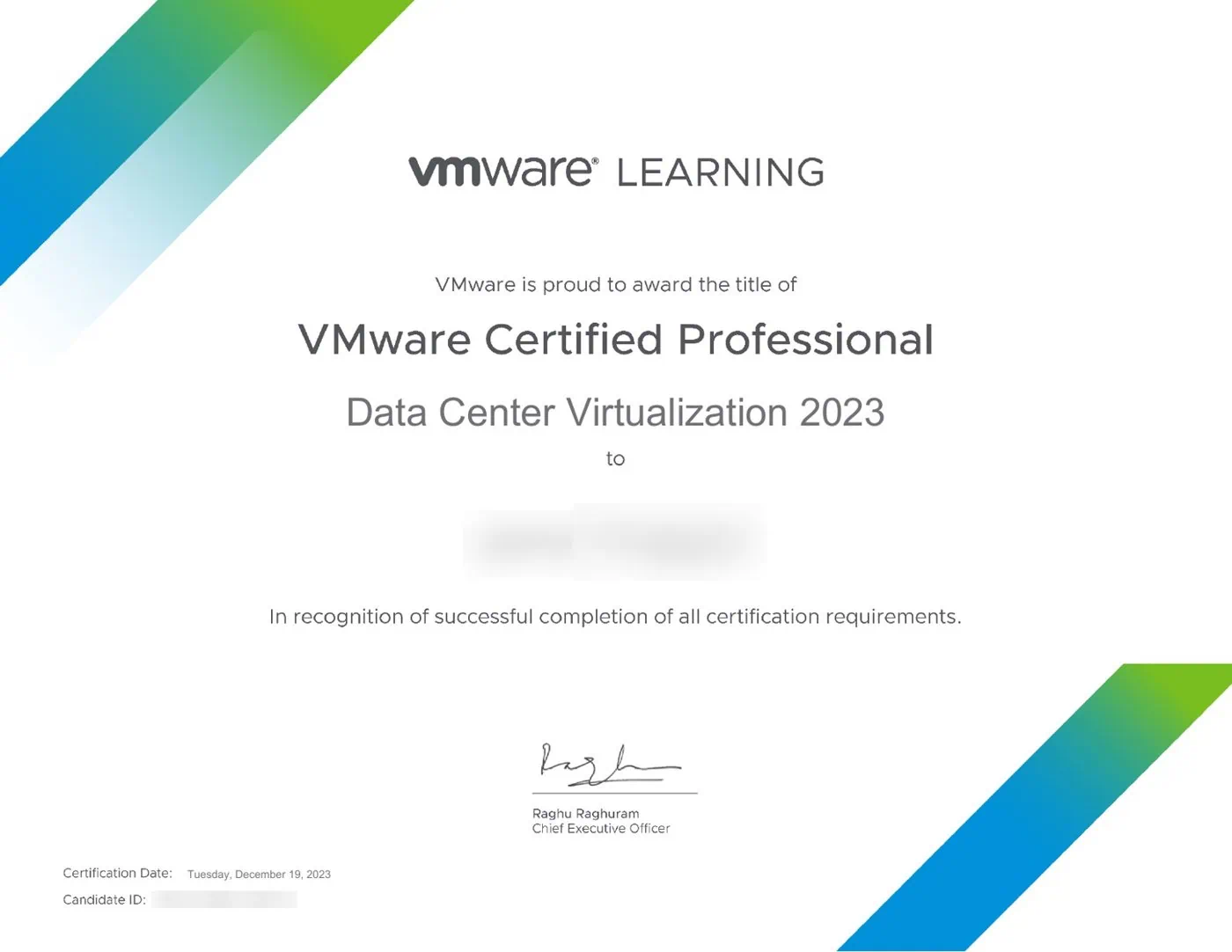
VMware Certified Professional – Data Center Virtualization 2023
ใบรับรองจากการสอบ · ธ.ค. 2023
คำถามที่พบบ่อยเกี่ยวกับ vSphere
vSphere คืออะไร?
ESXi กับ vCenter ต่างกันอย่างไร?
Standalone vSphere มี Edition อะไรบ้าง?
Standalone vSphere มี Version 9.1 หรือไม่?
ยังใช้ vSphere 7 อยู่ควรทำอย่างไร?
ก่อนขอใบเสนอราคาควรเตรียมข้อมูลอะไร?
ออกแบบระบบและขอใบเสนอราคา vSphere
ServerProThai ช่วยประเมิน Server Virtualization, ESXi Hosts, vCenter, Storage, Network, Backup และ Subscription ให้เหมาะกับ Workload และ Infrastructure ขององค์กร
ขอใบเสนอราคา vSphere